Millimeter precision
Define dimensions and positions with numbers or reusable e and d expressions.
 MOBILIARY
Furniture design workspace
Design wood furniture panel by panel, validate every fit in 3D, and prepare accurate measurements for the workshop.
From first panel to cut list
Define dimensions and positions with numbers or reusable e and d expressions.
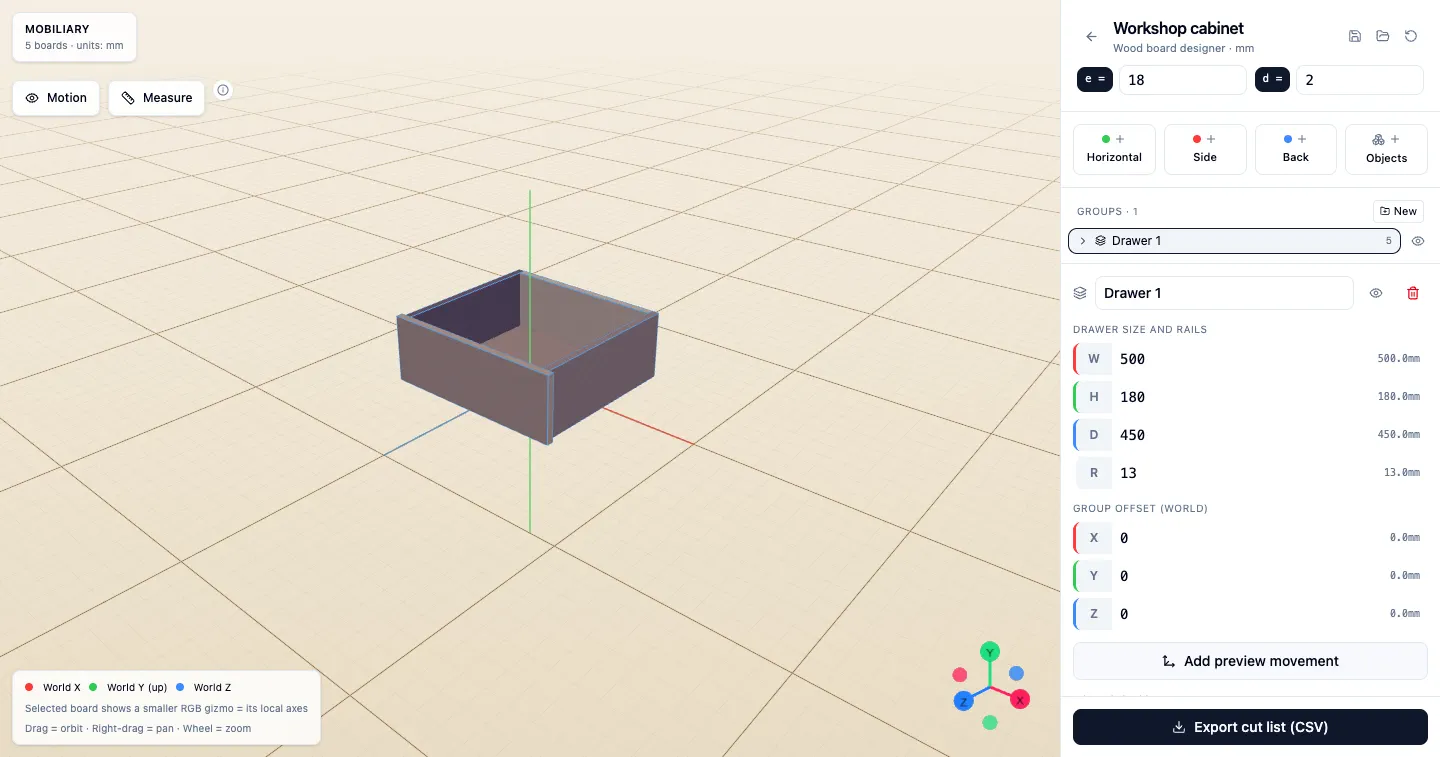
Build freely from individual panels or start with resizable grouped objects such as drawers.
Align faces precisely, inspect clearances, and see panel collisions highlighted in red.
Configure travel on one axis and preview how doors, drawers, or panels will move.
Keep multiple browser projects and combine two as read-only macros to validate an assembly.
Save complete projects as JSON and export a concise CSV cut list with dimensions and area.
How it works
Add horizontal, side, and back panels, or begin with a resizable drawer group.
Snap faces, measure gaps, inspect collisions, and preview movement along an axis.
Export panel name, width, length, thickness, and area as a concise CSV cut list.
FAQ
You can plan cabinets, drawers, desks, shelves, wardrobes, and other furniture built from flat wood panels.
Yes. The CSV export lists each panel's name, shorter side, longer side, thickness, and area for workshop cutting.
Choose a world axis, a face of the moving panel or group, and a target face. Mobiliary aligns them with an optional clearance.
Projects stay in your browser. Export a JSON project file whenever you need a backup or want to move it to another device.
Yes. Configure positive and negative travel on one axis for a panel or group, then play or scrub the movement in 3D.